



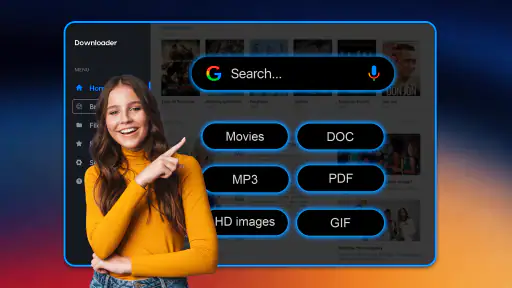
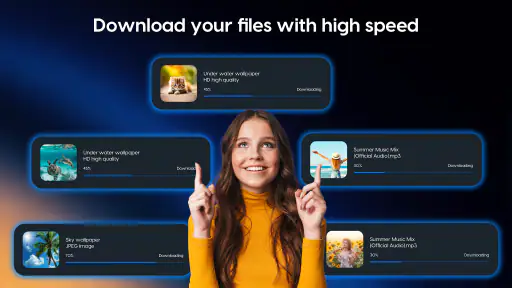
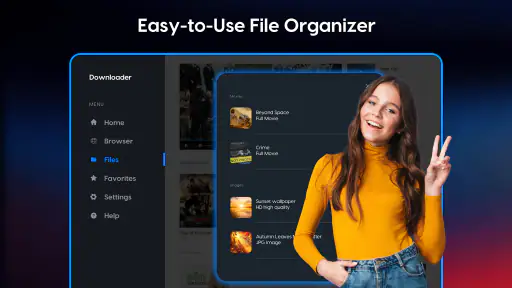
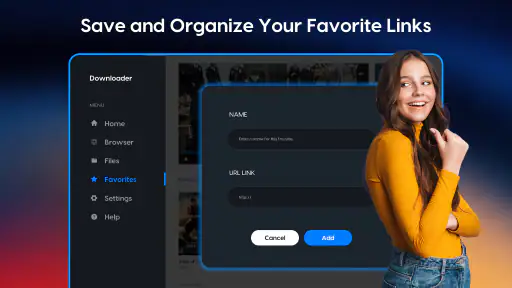

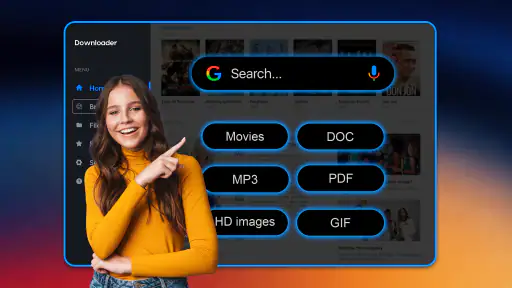
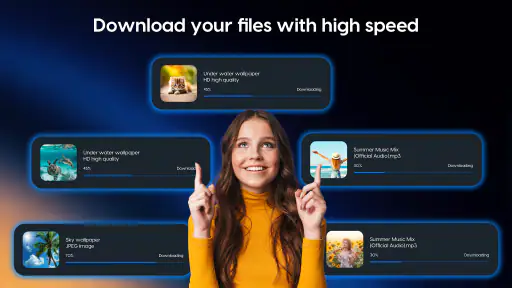
I spent time testing Downloader as a practical file-handling tool rather than treating it as just another button for saving files. Its purpose is straightforward: it helps download and manage different kinds of digital files on a mobile device. That simplicity is its main appeal, but it also sets the right expectation. This is a productivity app for people who want a more deliberate way to handle downloads, not a complete replacement for every browser, cloud drive, or file manager.
What I like immediately is that the app has a clear everyday role. Instead of leaving downloaded material scattered between browser folders, messaging apps, and miscellaneous storage locations, Downloader is designed around bringing that activity into one place. That can be useful when I am collecting documents, saving media for later, or trying to keep a temporary work project separate from the rest of my phone.
The app comes from Supono Holdings LTD and is available free of charge. It is rated for Everyone, which makes the basic concept approachable for a broad audience. The current release is version 4.2.2, and it works on devices running Android 6.0 or later. Its average score is 3.2 from around 2.9 thousand ratings, while the app has passed the one-million-install mark. Those figures suggest a sizable audience, but the middling score is also a useful reminder to approach it as a practical utility with some rough edges rather than a universally polished solution.
How Downloader fits into everyday file work
A focused tool instead of a full digital workspace
Downloader makes the most sense when I want one dedicated place for downloads. The store description is brief, but the app’s identity is clear: downloading and managing files is the center of the experience. That focus can be more comfortable than opening a general file manager and trying to remember which folder a browser or another application used.
In practical terms, I would use it for a small, clearly defined task. For example, imagine receiving several reference documents for a weekend project. I can download them through the app, keep them together while I work, and remove them when the project is finished. The same workflow can apply to forms, reading material, installers, or other digital files that I do not want mixed with long-term personal content.
The strongest benefit is organization at the moment of download. The app is most valuable before clutter becomes a problem. If I already have a phone full of unlabelled files spread across several locations, Downloader cannot magically repair every organizational habit. Its value comes from using it consistently as the entry point for new downloads.
What the free access means for value
Downloader is free to install and use, which makes the decision easy for someone who only needs a basic downloader without committing money first. That free access is important because this type of utility is often occasional rather than essential. I may need it intensely for a particular task and barely touch it afterward, so avoiding an upfront purchase is a genuine advantage.
The app also includes in-app purchases priced at $4.99 per item. That means the free experience should be judged on whether it handles a user’s ordinary downloading needs before any optional spending is considered. I would not recommend paying simply because the app is convenient. I would first establish a repeated workflow, identify the specific limitation that interrupts it, and then decide whether the paid value solves that problem.
This distinction matters. A free downloader that handles occasional files can be perfectly adequate, while a paid upgrade only becomes sensible for someone who uses the app regularly and sees a clear benefit from the purchase. Since the purchase price is attached per item rather than presented as a single universal cost, I would pay close attention to what each individual purchase provides before confirming anything.
Where it can improve a normal phone routine
One useful habit is to treat Downloader as a temporary inbox. I would download files there, review them in batches, rename or sort them when appropriate, and then clear out material that no longer matters. This is more reliable than saving everything indefinitely and hoping the phone’s general storage view will remain understandable.
A second useful approach is separating “need now” from “keep later.” Files needed for a current task can stay in the downloader’s working area, while files that deserve long-term storage can be moved into a more permanent system afterward. That prevents a short-lived download from becoming part of my permanent archive by accident.
There is also a practical privacy and attention benefit to reducing repeated searches. When I know that recent downloads are managed in one dedicated app, I spend less time checking several browser histories or application folders. This is not a dramatic productivity transformation, but it can remove a surprisingly irritating step from repeated work.
Questions about compatibility and setup
Android compatibility is broad enough for users who have not replaced an older device recently. The minimum requirement is Android 6.0, so the app is not restricted to only current hardware. Still, compatibility alone does not guarantee an identical experience on every phone. Storage behavior, system file access, and manufacturer-specific interfaces can affect how any downloading utility feels in practice.
I would therefore install it on the device where I actually plan to work rather than judging it from a second phone. A downloader is closely tied to the way that device handles files. If I switch between phones, use a tablet, or rely on multiple operating systems, I would also consider whether a browser-based or cloud-centered workflow would be more convenient than maintaining separate local download routines.
The tradeoff between simplicity and control
The app’s narrow purpose is both its strength and its limitation. A focused downloader can be easier to understand than a large file-management suite, but it may not satisfy someone looking for deep folder automation, advanced synchronization, or a complete document workspace. I would not choose it expecting it to replace every tool involved in a serious file archive.
That tradeoff is especially important for advanced users. If my work depends on precise naming rules, extensive folder structures, cross-device synchronization, or specialized file operations, I would compare Downloader with a mature file manager or cloud storage service before moving everything over. The app is better suited to making downloads manageable than to becoming the central system for an entire digital life.
How it compares with the usual alternatives
The most obvious alternative is the downloader built into a web browser. A browser is convenient when I only need to save one file while already visiting a website. It is usually the fastest option for a one-off action because there is no separate workflow to learn. Downloader becomes more attractive when downloading is a recurring activity and I want dedicated management rather than a browser’s general-purpose history and storage behavior.
A standard file manager offers a different advantage. It typically gives broader control over folders and files already stored on the device, so it may be the better choice for someone who mainly needs sorting, moving, renaming, or inspecting existing content. Downloader has a more specific starting point: the act of obtaining files and keeping that activity organized.
Cloud storage is stronger when access across devices matters. If I regularly move between a phone, tablet, and computer, a cloud-first workflow may save more time than a local downloader. On the other hand, someone who wants a simple local collection for a short project may find a dedicated downloader less distracting than a full cloud platform.
In other words, I would not call Downloader universally better than these alternatives. I see it as a middle option: more intentional than a browser’s default download behavior, less expansive than a full file manager, and less dependent on a cloud ecosystem than online storage.
Small workflow decisions that make a difference
My first tip is to decide on a cleanup point before downloading a large batch. For example, I might review everything at the end of a work session instead of allowing temporary files to accumulate for weeks. This turns the app into a controlled workspace rather than another place where digital clutter can hide.
My second tip is to avoid using it as the only copy of something important. A download is not automatically a backup. If a file matters for work, study, travel, or personal records, I would place a lasting copy in the storage system I already trust after checking that the file opens correctly.
A third tip is to test the workflow with a small group of files first. Different file types and different sources can behave differently on mobile devices. Starting small lets me see whether the app fits my habits before I commit to a large transfer or consider any purchase.
A fourth tip is to keep temporary and permanent material mentally separate. Downloader is useful for collecting files, but the best long-term organization may still happen elsewhere. That two-stage approach avoids asking one app to perform every job and makes it easier to find important files later.
Where the friction may appear
The average rating of 3.2 indicates that the experience is not universally smooth for everyone. I would interpret that as a reason to test the app against my own routine, not as proof that it is unusable. Utilities often receive very different reactions depending on device setup, file sources, and how much control a person expects.
The app may also feel unnecessary for someone who downloads only rarely. If I save one document every few months, opening a dedicated tool can add an extra step instead of removing one. In that situation, the browser’s built-in downloader or the phone’s existing file manager may be the more efficient answer.
Another limitation is that a downloader does not automatically solve file interpretation. Downloading a file and working with it are separate tasks. I may still need another application to read, edit, play, or share what I saved. That is normal for this category, but it means I should judge Downloader on collection and management rather than expect an all-in-one content suite.
Who is most likely to get real value?
I think Downloader is a good fit for students gathering course material, freelancers handling short client projects, and anyone who repeatedly saves files on an Android phone. It can also help people who feel that downloads disappear into a confusing mixture of browser folders and messaging attachments.
It is particularly suitable for users who prefer local control and a straightforward routine. If I want to download several files, inspect them later, and keep temporary work contained, the app’s focused design makes sense. The free entry point also lowers the risk for occasional users who are curious but not ready to pay for a specialized tool.
I would be more cautious if I needed automatic synchronization, a sophisticated archive, or a seamless desktop-to-mobile workflow. People who already rely on a strong cloud storage setup may gain little from adding another download destination. Likewise, users who expect advanced automation should investigate whether the available experience matches that expectation before making it part of a larger system.
My verdict on spending money
My buy-or-skip advice is simple: start with the free version and judge it by one real task. Download a modest batch, manage it through completion, and see whether the workflow is clearer than using your browser or existing file manager. If it saves time repeatedly, then examine the individual in-app purchase carefully and pay only for a benefit you can identify in advance.
I would skip the purchase for occasional downloading, especially if the free tools already on the phone handle those jobs comfortably. I would also skip the app entirely if my main requirement is cloud synchronization or advanced file administration rather than download management.
For the right user, Downloader is a useful, low-risk productivity utility with a clear purpose. It is not a complete digital filing system, and its middling rating suggests that expectations should remain realistic. My recommendation is strongest for people who download often enough to need a dedicated routine but do not need the complexity of a full file-management platform. Used as a focused inbox for digital files, it can make a messy mobile habit feel much more manageable.


